
THE BRIZINOTES APP
From episode to notes worth sharing.
Follow the work, make each idea your own, and shape a finished set of show notes — all from your phone.
iPhone early access. Android coming soon.
A WORKFLOW, NOT A TOOLBOX
Stay with your episode from the first import to the final edit.
BriziNotes gives podcasters one place to review the important moments, arrange their notes, and return to past work.
01 / FOLLOW THE WORK
Know when your episode is ready.
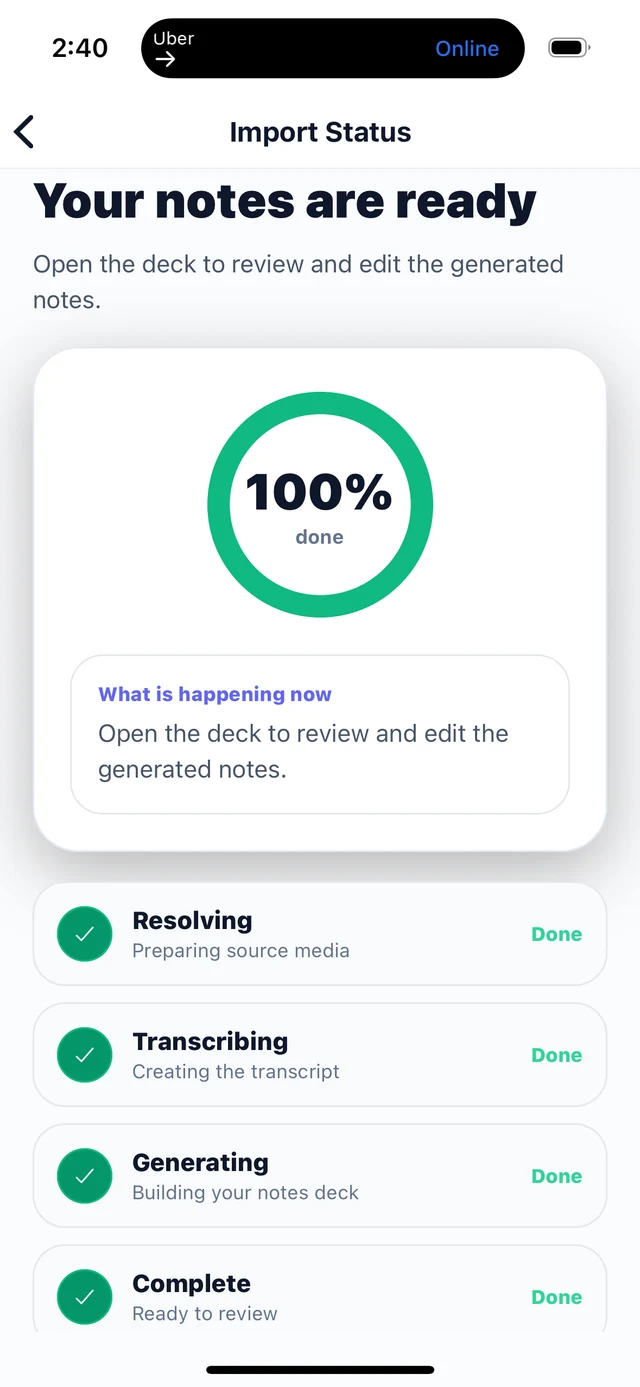
The processing screen keeps the handoff from import to note review clear. See status and progress feedback, with useful running or error messages along the way.
- Track an episode from upload or import into usable notes.
- Move into card review when processing completes.
02 / MAKE IT YOURS
Shape the ideas, one card at a time.
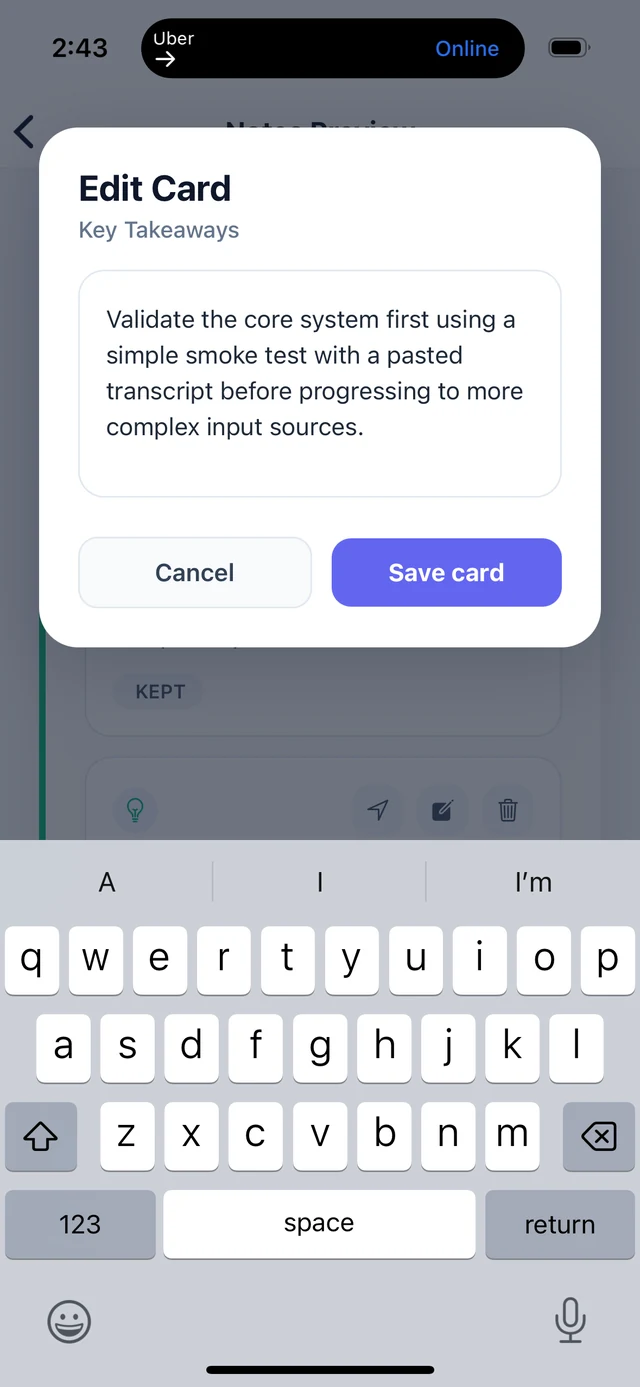
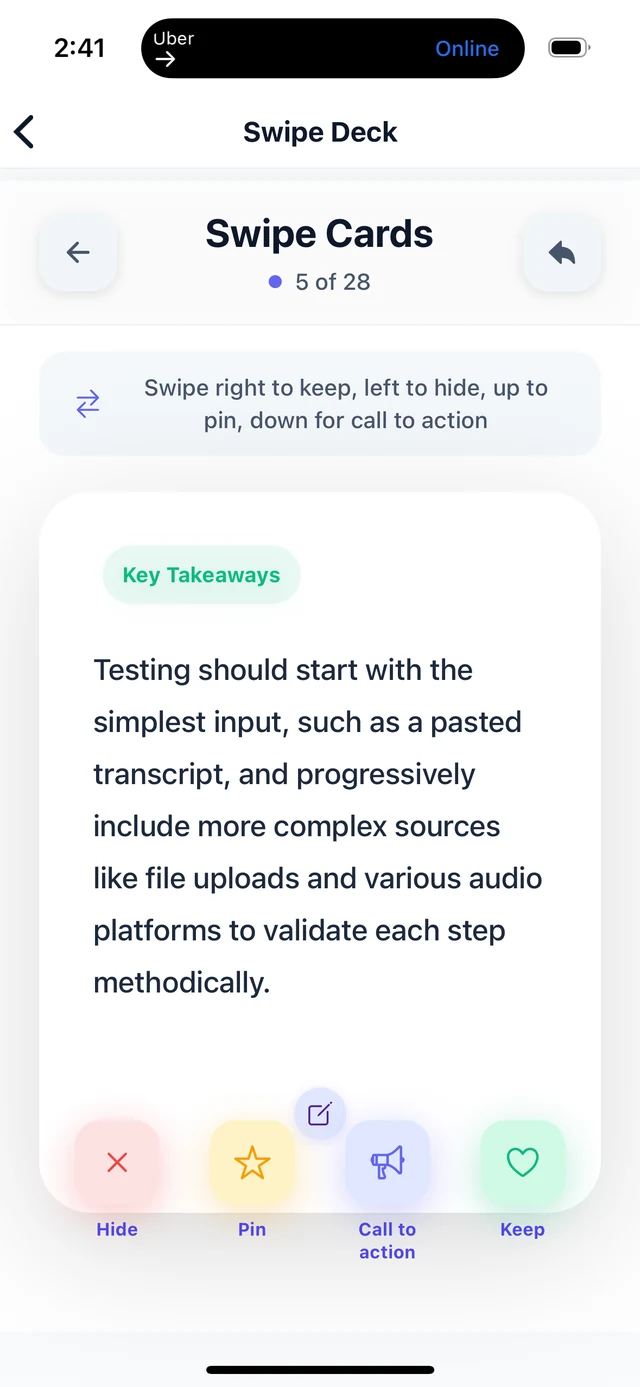
Open an AI-generated note card in edit mode, refine the words, and decide what belongs in the final notes.
- Edit summaries, takeaways, quotes, and calls to action.
- Keep control over which cards make the final draft.
03 / SEE THE WHOLE STORY
Preview, reorder, then publish.
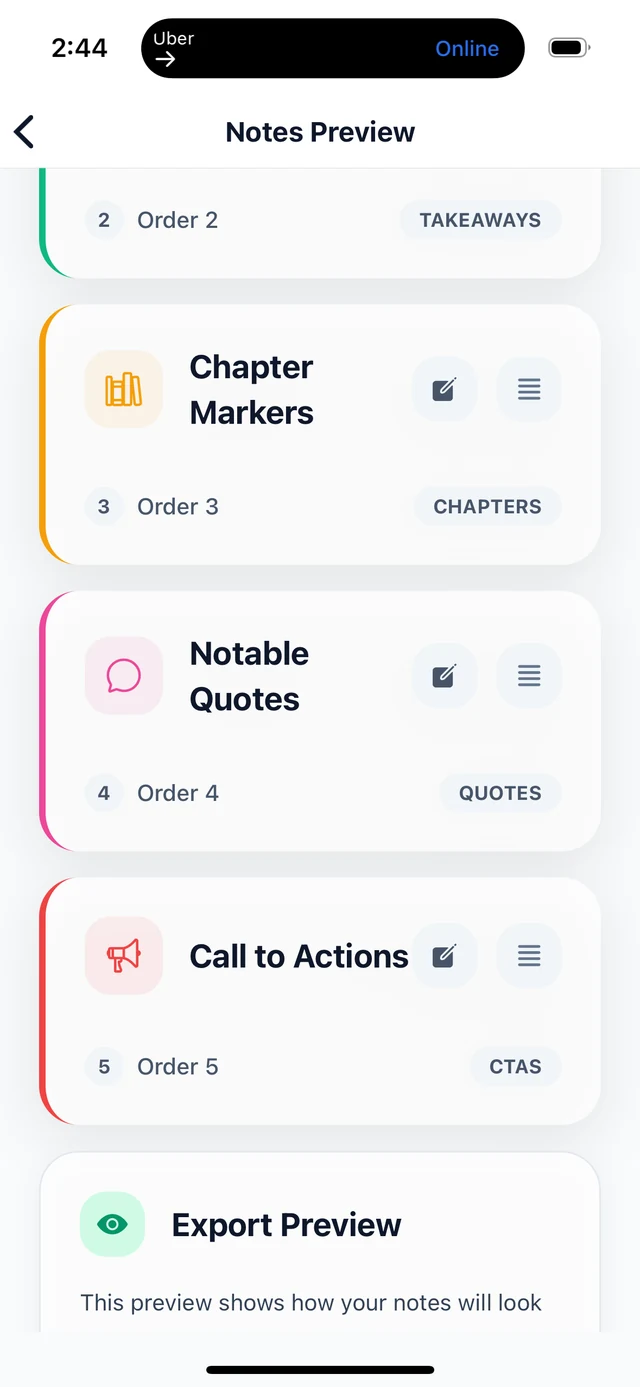
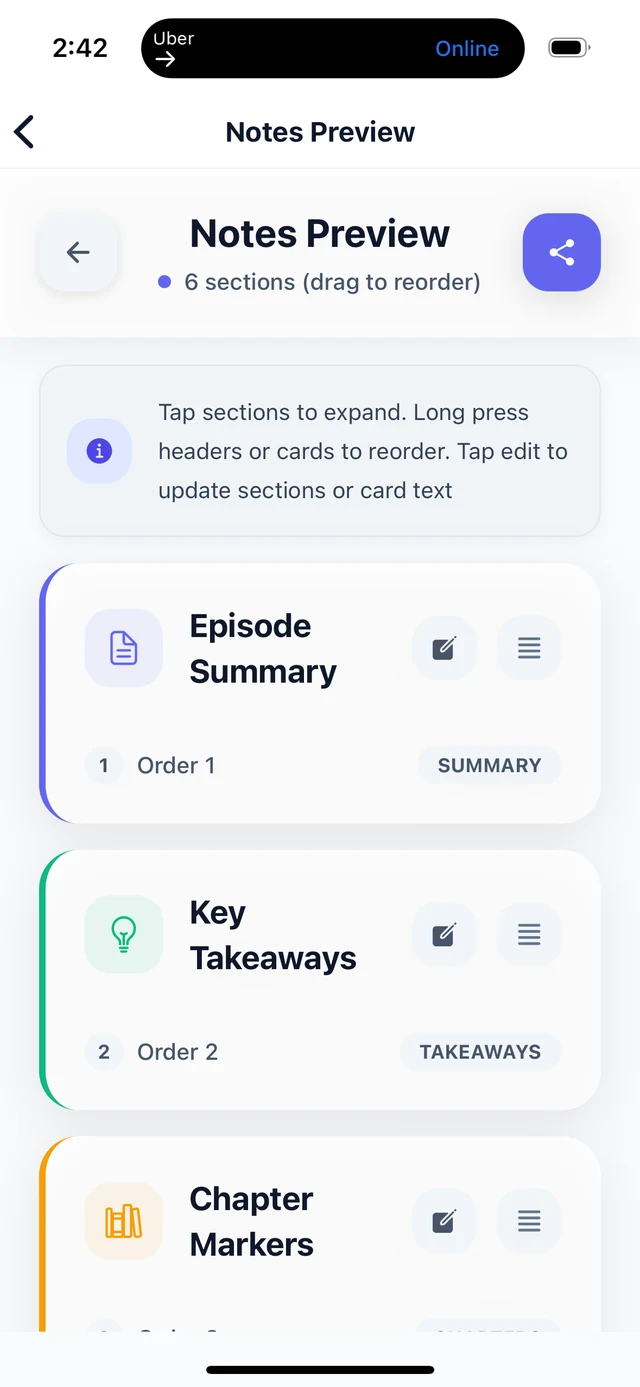
See selected sections together before you export or save. Move sections up or down so the strongest material comes first.
- Review summaries, takeaways, quotes, chapters, links, and calls to action in context.
- Check the structure and order of your show notes before exporting.
04 / KEEP YOUR WORK CLOSE
A home for every episode.
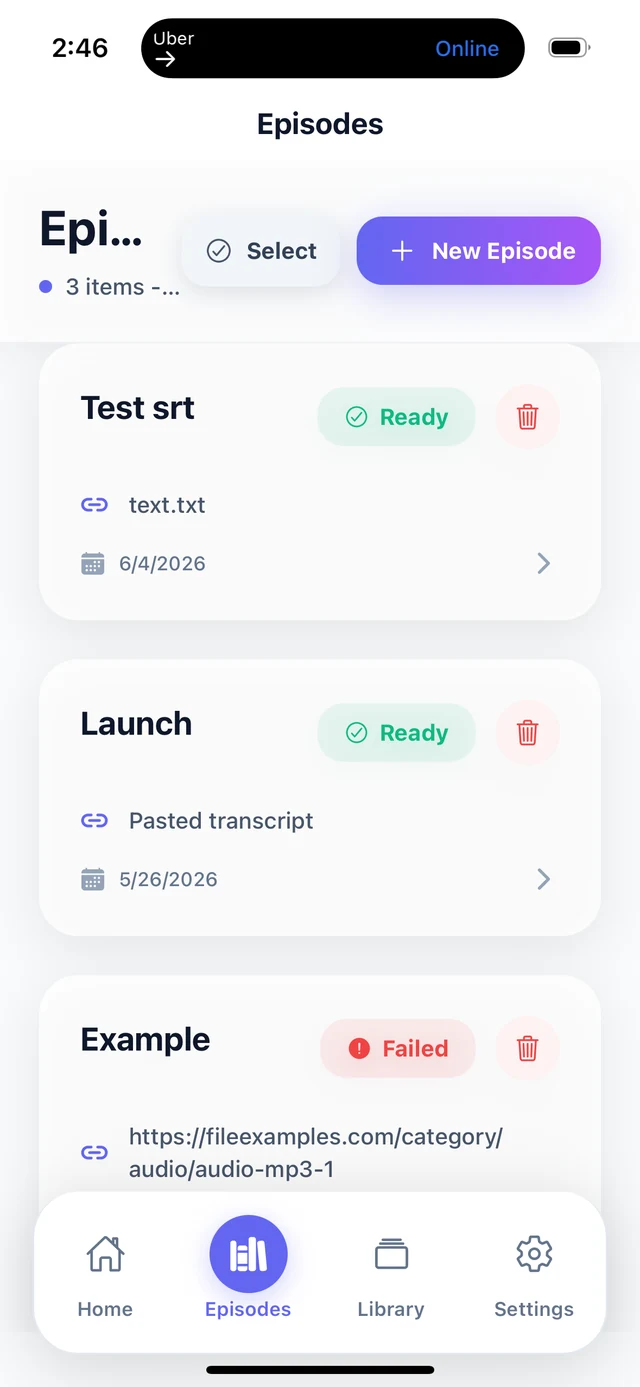
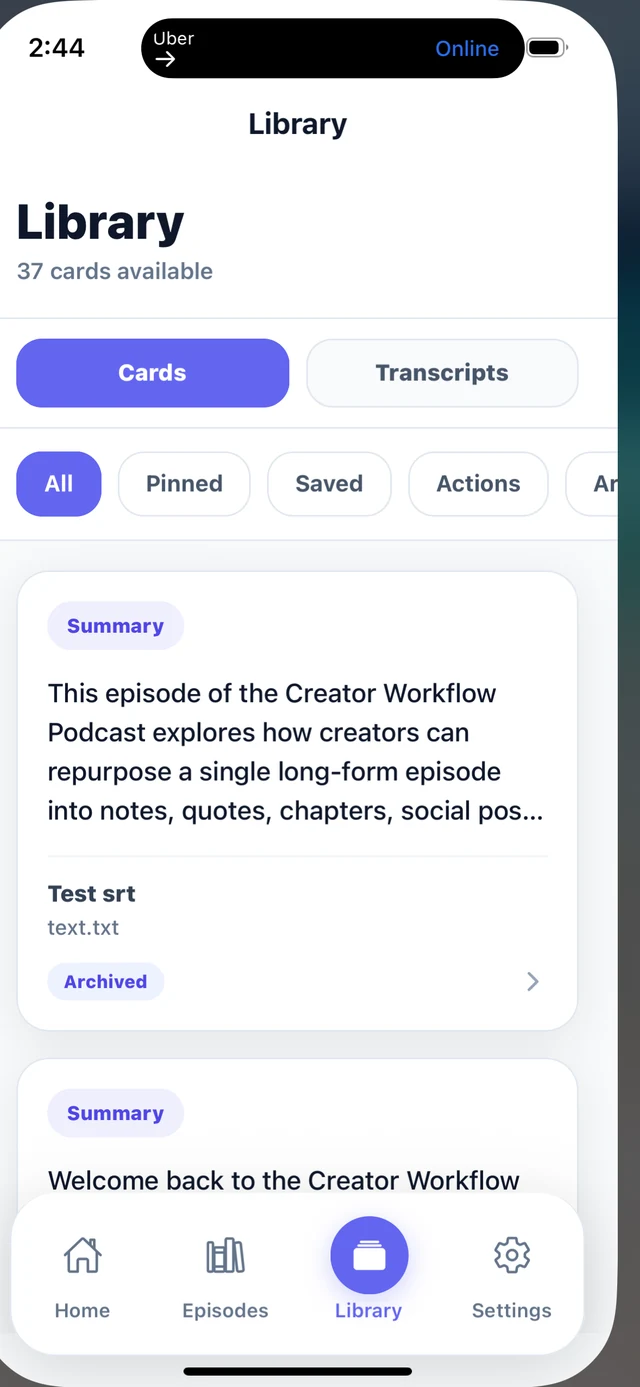
Find saved episodes and notes in your library. Reopen earlier projects, see what you have processed, and keep your history tidy.
- Return to previous notes from the full library and episode history.
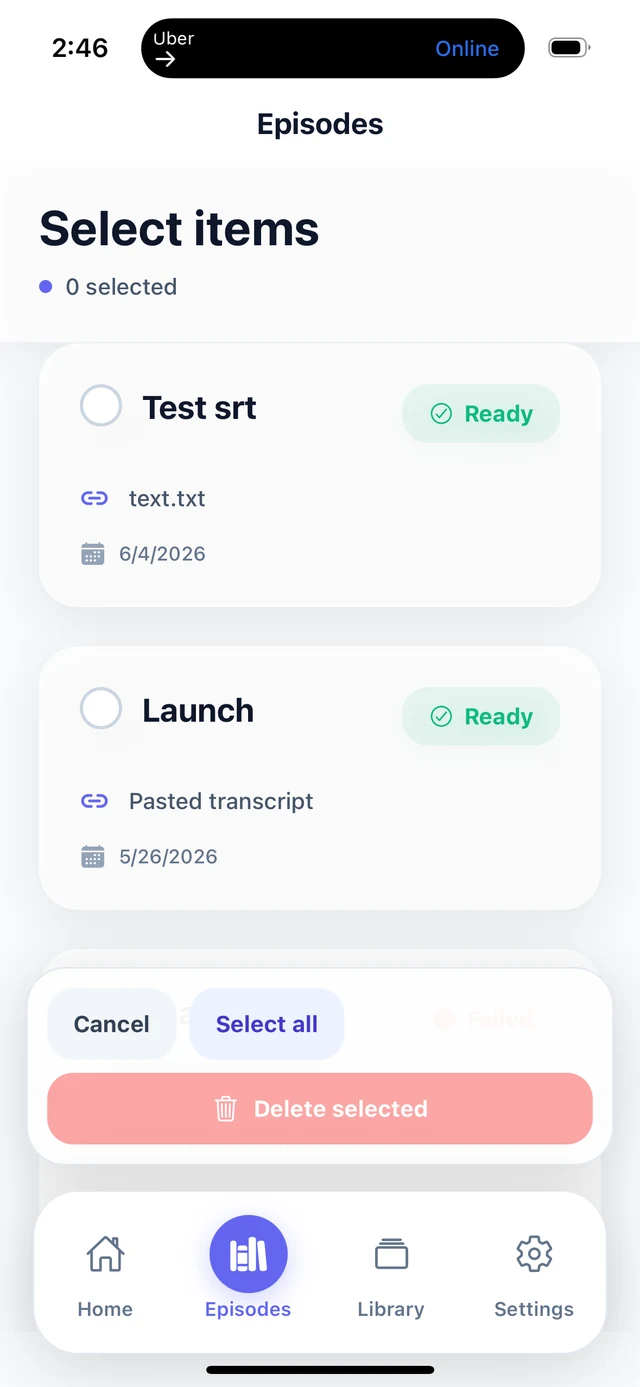
- Delete an individual episode or clear episode history, with confirmation before a full reset.
LIBRARY CONTROL
Make room for what matters next.
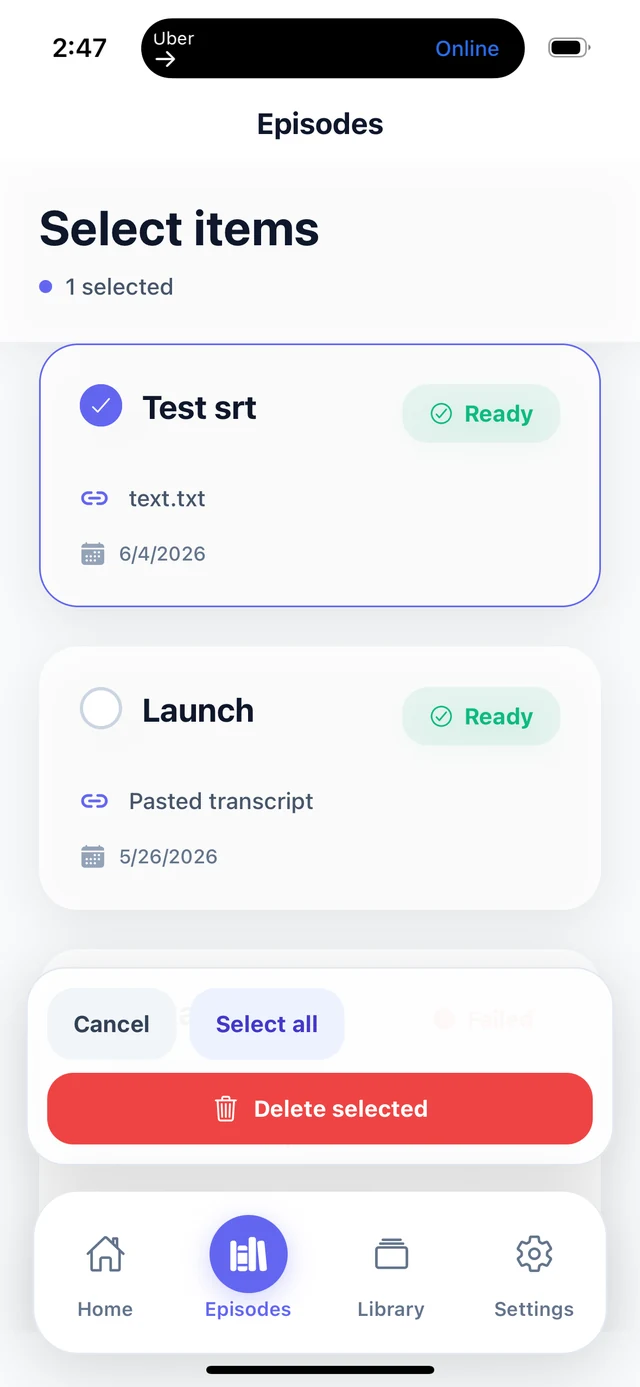
Select a specific episode to remove without touching the rest of your saved work, or clear history when you need a reset.
THE NEXT EPISODE STARTS HERE
Make more of every conversation.
Join the BriziNotes waitlist for iPhone early access. Android is coming soon.